Services

One scene. Stills, films and a walkable app.

We build your project once, in Unreal Engine 5. The stills, films and the walkable app all come out of that scene, so adding more later costs little extra.

Packages

Three ways to start

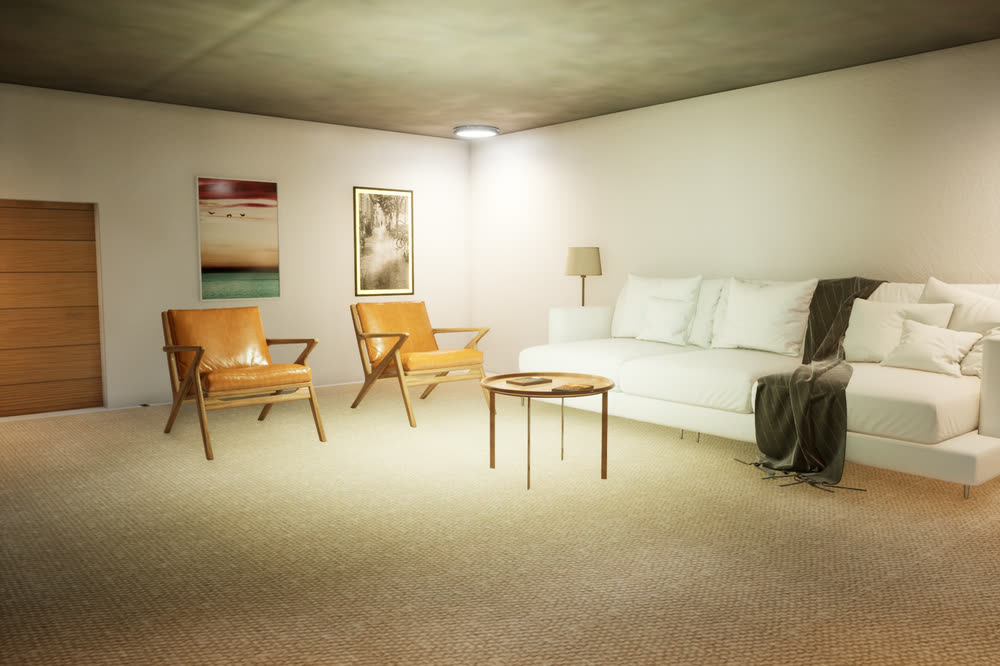
Another view of the living room: the white sofa with a throw, a table lamp, two leather armchairs and framed art on the wall.Sample project
Entry

Stills pack

Photoreal interior or exterior stills from a real-time scene.


Good for

Launch brochures, hoardings, listings and presentation boards.

What you get

  • Interior or exterior views
  • Modelled from your drawings or CAD
  • Fast turnaround
  • A scene that can later become a walkthrough

Delivered as

High-resolution image files, 2160 × 1440 as standard, with two rounds of changes. The number of views is set in the scope.

Pricing on request

Ask about stills
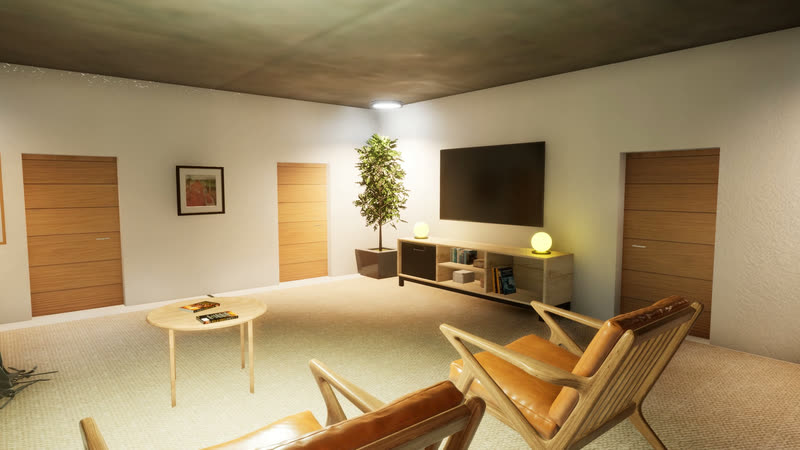
A second walk through the living room, past the armchairs and the TV wall.Sample project
One unit

Interactive unit walkthrough

One apartment or villa as a walkable real-time app.


Good for

A show-flat experience for one unit type, at the sales desk or in meetings.

What you get

  • Free walk through every room
  • A day and night switch
  • A basic finish configurator

Delivered as

A Windows desktop app, plus a walkthrough film and stills from the same scene

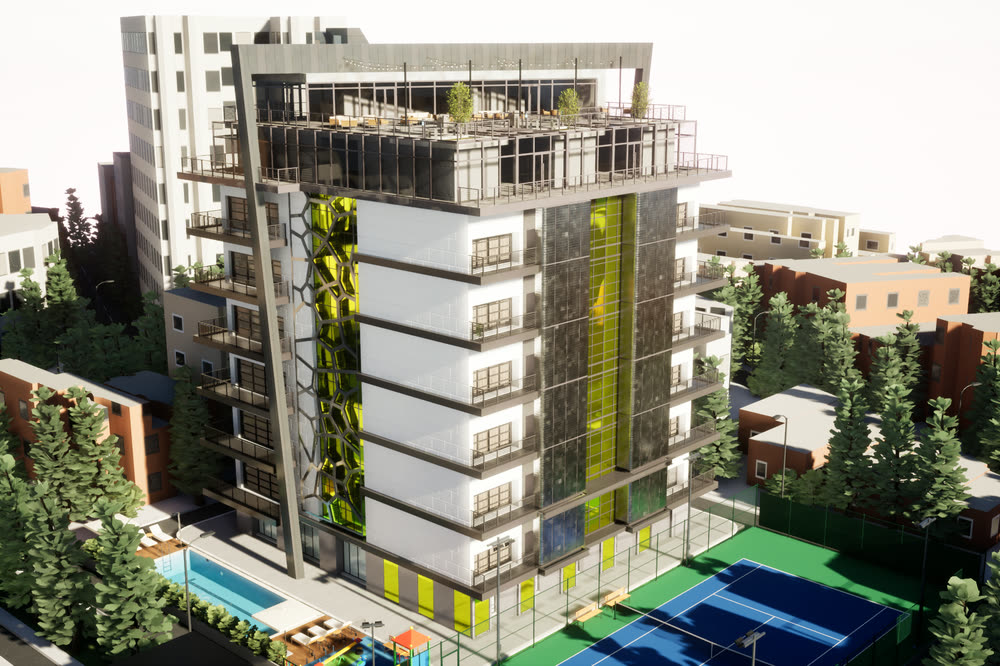
Daytime aerial view of the sample tower: a white residential block with green glass panels and a rooftop terrace, a lap pool and a blue tennis court at its base, among city buildings and trees.Sample project
Whole project

Project experience app

A whole tower or community, for your sales gallery.


Good for

Developers launching a tower or community, from pre-launch to the sales gallery.

What you get

  • An overview of the whole project, plus walk mode
  • Unit search and floor plans
  • Amenities and neighbourhood points of interest, with info panels and galleries
  • A finish configurator
  • Day to night
  • A sales-gallery mode

Delivered as

A Windows desktop app. Browser streaming or a VR build on request.

Quoted per project

Ask about a project app

Add-ons

Add to any package

360 panoramas

Panoramic stills from the same scene, for listings and online viewers.

On request

Not in the public sample yet.

Walkthrough films

More films, or short cut-downs for social media and listings, recorded in the same scene.

Available

See the sample film on the Showcase page.

VR headset build

The project on a VR headset, for the sales gallery.

On request

We'd test it with your project before committing to it.

Browser streaming

Buyers open the app in a web browser while it runs on a cloud GPU server (Unreal Pixel Streaming). The server has its own running cost.

On request

Not in the public sample yet.

How it works

From first call to delivery

Five steps. Nothing starts until the scope is agreed in writing.

  1. Step 1

    Intro call

    You send
    The basics: what the project is, where it is, and roughly when you need it.
    You get
    A 15-minute call, a look at the sample project, and our view on which package fits.
  2. Step 2

    Scope and quote

    You send
    Drawings, the finish options you want to show and, for unit search, your unit list.
    You get
    A written scope listing the rooms, style sets, interactions and deliverables, with the price and dates.
  3. Step 3

    We build

    You send
    Answers to questions as they come up.
    You get
    Progress clips as the scene takes shape.
  4. Step 4

    Walkable review

    You send
    Your comments, on a call or in writing.
    You get
    Two rounds of changes, included. Further rounds are quoted separately.
  5. Step 5

    Delivery

    You send
    Your sign-off.
    You get
    The desktop app, the film and the stills, plus setup notes for your machine, a 30-minute handover call and 14 days of fixes for anything that doesn't work as agreed.

Typical timeline

It depends on the size of the project and how much of it is interactive. We give you the dates with the quote and confirm them in the written scope.

Before we start

What we need from you

  • Architectural drawings: plans, sections and elevations (PDF or DWG)
  • 3D or BIM files if you have them (tell us the format)
  • The finish options you want buyers to compare, as schedules or mood boards
  • For unit search: the unit list with types, sizes and availability
  • The site plan and the list of amenities
  • Your logo and colours, for the menus

What you receive

  • Desktop app

    A Windows app for your sales gallery, meetings or your team's laptops.

  • Films

    Walkthrough films recorded in the scene, in the lengths you need, as 1080p MP4, landscape or vertical for social media.

  • Stills

    Stills rendered from the scene. 2160 × 1440 pixels as standard, the same size as the sample's.

Questions about working with us

Still unsure? Email [email protected]

How many rounds of changes are included?

Two rounds at the walkable review. Further rounds are quoted separately, and the number is written into the scope before work starts.

How and when do we pay?

50% when work starts and 50% on delivery. Larger projects are split by milestone, as set out in the scope.

Who owns the app and the files?

You own the delivered app, films and stills once they are paid for in full. We may show the work in our portfolio unless you ask us not to.

What hardware does the app need?

A Windows PC with a dedicated graphics card. We agree the exact spec in the scope.

Can you work from sketches instead of drawings?

Yes. It takes longer, and the quote reflects that.

Do you work across time zones?

Yes. We're in India (IST, UTC+5:30) and find call times that suit your working day.

Next step

Not sure which package fits?

Tell us about the project and we'll suggest one, with a written scope and quote.